Changelog

Follow new updates and improvements to BoltAI.

BoltAI 2.17.2

Build 90

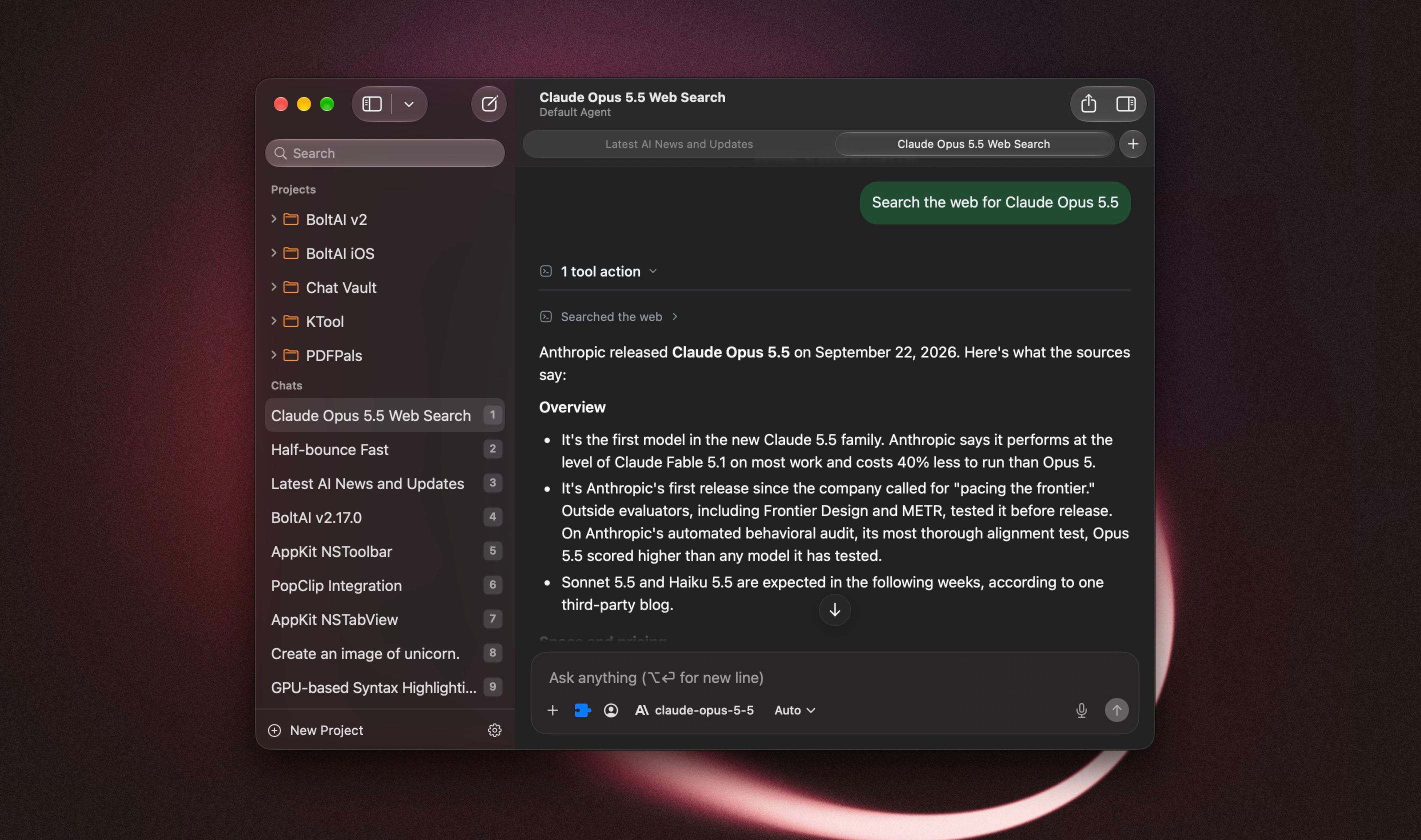
BoltAI now feels more at home on your Mac. The rebuilt chat window brings a native toolbar and sidebar, scrolling that blends into the window, and faster chat switching. This update covers 2.17.0 through 2.17.2, including a fix for a launch crash on macOS 13 and 14.

On macOS 13 or 14 and BoltAI quits right after opening? Download 2.17.2 and install it manually. Here's how.

New

  • A more native chat window: the toolbar, sidebar search, and window layout fit macOS more closely. On macOS 26, chat content scrolls beneath the toolbar and the inspector blends with its header.
  • Customize the toolbar with the actions you use most, including Share and one-click PDF export.
  • Experimental chat tabs: press Command-T for a new tab, or right-click a chat and choose Open in New Tab. Each tab keeps its own place, and you can reopen closed tabs. To try them, go to Settings > Developer > Feature Flags, turn on "Enable native chat tabs (experimental)", then restart BoltAI.
  • Review and remove duplicate starter prompts, agents, and workflows from your library. BoltAI shows what will be removed before you confirm.

Improved

  • The reasoning menu next to the model picker now offers Extra High and Max for supported Claude models.
  • Kimi K3 can now use Low and High reasoning, not only Max, to keep costs down.
  • Supported Claude models have a larger default response allowance, giving them more room to think and finish an answer. Your custom limits still apply.
  • Long sessions use less memory, especially with document attachments.
  • AI Workflows explain capture and permission problems more clearly, help you turn on Accessibility, and let you review an incomplete result.
  • Unavailable MCP tools stay visible in chat, agent, and project settings, so you can remove them. Deleting an MCP server also removes its tool selections, including on your other devices.
  • Model pickers keep cached models visible while an updated list loads.
  • BoltAI no longer offers to install starter prompts, agents, or workflows you already have.

Fixed

  • Fixed BoltAI crashing at launch on macOS 13 and 14.
  • Fixed the About window opening by itself at launch on macOS 13 and 14.
  • Fixed "Hide Dock icon when last window closes" not working reliably on macOS 13 and 14.
  • Project folders in the sidebar show their orange color again on macOS 14 and 15.
  • Fixed a crash when stopping a response while it streams, a rare crash in background sync, and a crash when stopping speech playback.
  • Fixed AI Workflows that insert or copy their result directly failing with "The model returned an empty response" when using Codex CLI. [ref]
  • Fixed chats failing to send when an MCP server could not load. AI Workflows also continue when a selected MCP tool is unavailable.
  • Fixed results or errors from an earlier AI Workflow appearing in a later run, and No Preview workflows not completing when run back to back.
  • Fixed certain AI Workflow requests failing with custom API base URLs.
  • Saved custom OpenRouter endpoints are now used when loading models and sending requests.
  • Custom agents keep their selected plugins, and interrupted settings saves no longer show a cancellation error. [ref]
  • Claude now reports when its response allowance runs out before it answers. [ref]
  • Answers that fail to save stay visible when you switch chats, and regenerating one no longer brings back later messages.
  • Documents keep their extracted text if the original file is missing, and chats continue when an attached document can't be read.
  • Dragged images use the correct format, and attachment-loading failures show an error.
  • Prompt editor headings and buttons stay visible in their sheets.

Note: AI Workflows need Accessibility permission. If your workflows don't run, turn on BoltAI in System Settings > Privacy & Security > Accessibility, then try again.
NewImprovedFixed

BoltAI 2.16.0

Build 85

This release brings more capable projects, faster AI workflows, and smoother everyday performance, along with a wide range of bug fixes.

New

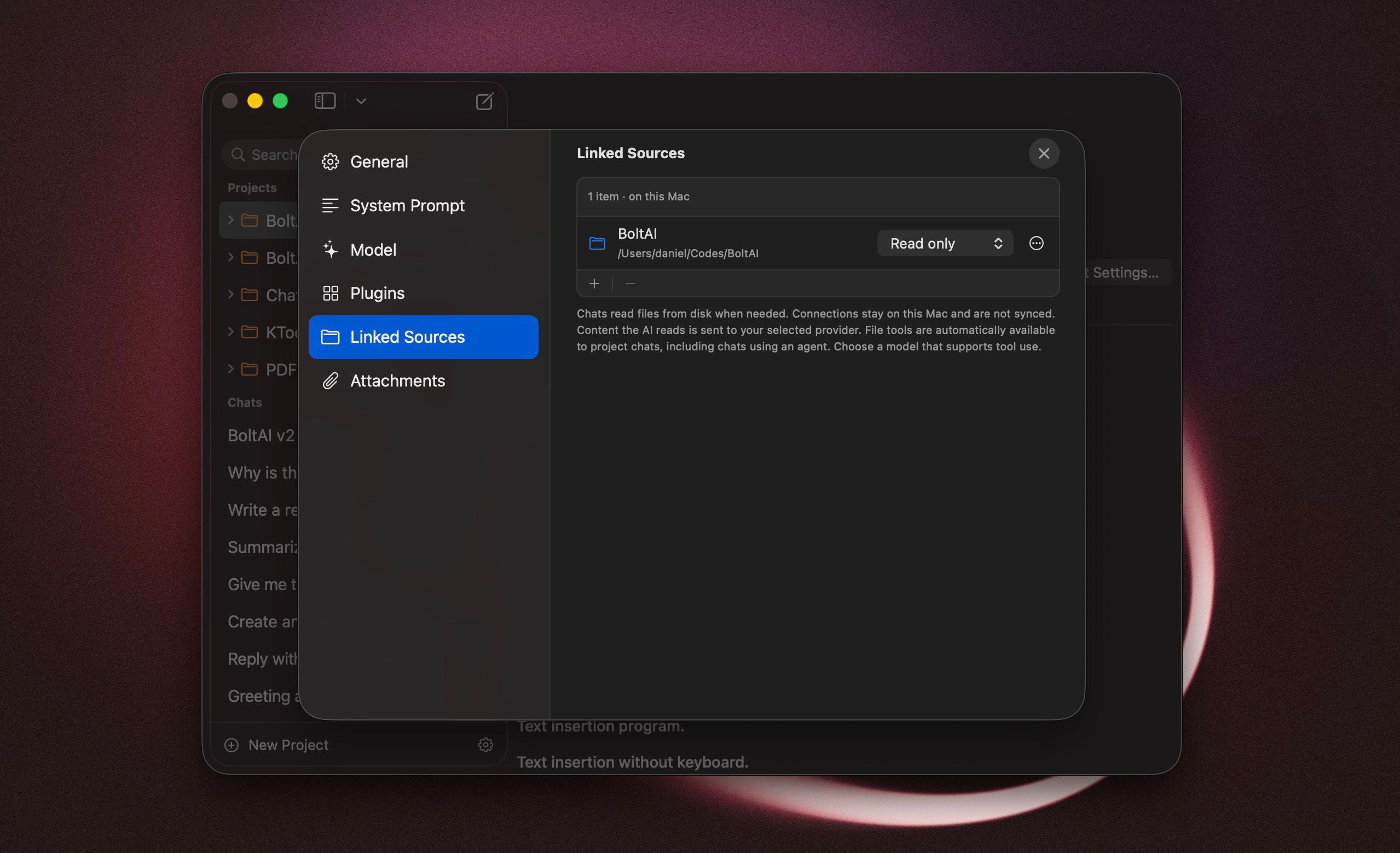
  • Projects now support linked files and folders on your Mac. Your AI can search, read, and edit them as you work. This feature is in beta. [ref] [ref]
  • Choose a default agent for each project, so new chats start with that agent's instructions, model, and plugins. [ref]
  • BoltAI can automatically read AGENTS.md, AGENT.md, and CLAUDE.md from your linked project folders, saving you from copying instructions into each project.
  • "Reveal in Sidebar" takes you from a search result to the chat's location, so you can continue browsing your chats without the search filter. [ref]
  • You can now connect your OpenRouter account via OAuth instead of manually entering an API key.
  • GPT-6 Astra is now available through Codex CLI. Grok gains Extra High reasoning, and supported Claude models have more reasoning levels to choose from. [ref]
  • Amazon Bedrock now caches prompts automatically to reduce the cost of reusing the same instructions and context, with a choice of cache duration.
  • Approve edits to linked files directly in chat, either once or for the project. If you're in another app, BoltAI can notify you when it needs your approval.

Improved

  • Redesigned project settings to make them easier to navigate. You can now drag files and folders into the new-project window to link them.
  • Improved startup speed, chat switching, and the display of code in responses.
  • You can now disable providers you don't use, including Setapp, to keep the model picker easier to browse. [ref]
  • Improved AI workflow performance.

Fixed

  • Fixed crashes related to clipboard handling in AI workflows.
  • Fixed slow sidebar searches in large chat libraries.
  • Fixed code highlighting losing its colors while a response was being generated.
  • Claude now shows an error when it returns an empty response, rather than leaving you without a reply or explanation. [ref]
  • Interrupted Claude responses are now marked as incomplete instead of looking like a finished answer. [ref]
  • PDF attachments that can't be read now show an error instead of being silently left out of your request.
  • Fixed errors when continuing a Claude chat after it read a web page. [ref]
  • Fixed plugin-related errors when your chat settings limit how much conversation history is included. [ref]
  • Switching providers no longer sends plugins that the new provider doesn't support.
  • Fixed Mistral responses failing as they finished generating.
  • Fixed duplicate responses and empty response controls caused by overlapping requests. [ref]
  • Fixed follow-up messages being lost when sent just after pressing Stop. [ref]
  • BoltAI now explains when an agent stops because it has reached its step limit, including after a plugin fails.
  • Fixed the main window staying hidden when you clicked BoltAI in the Dock or switched to it with Command-Tab. [ref]
  • Opening Instant Chat or Workflow Palette no longer unexpectedly brings up the main window. [ref]
  • Fixed HEIC photos dragged from Apple Photos being rejected by AI providers.
  • Refreshing the model list no longer keeps showing an outdated locally cached list.
  • Failed image generation now shows an error instead of leaving an empty response or a stuck progress indicator.
  • Fixed requests timing out after 60 seconds despite a longer timeout in Settings.
  • Fixed chats remaining selected in Trash after they were deleted or restored. [ref]
NewImprovedFixed

BoltAI 2.15.0

Build 84

BoltAI 2.15.0 includes the reliability improvements from the 2.14.2–2.14.4 maintenance releases, together with a cleaner app name and fixes for PDF export and newer versions of macOS.

Improved

  • BoltAI downloaded from our website is now simply named BoltAI. New installations use BoltAI.app.

  • Improved AI provider errors so useful upstream details are shown when available instead of a generic failure.

  • Improved launch stability by loading the Workflow Palette only when it is first used.

Fixed

  • Fixed new projects selecting the wrong provider or losing the Base Agent model, generation settings, and loop limit.

  • Fixed Anthropic-powered chats occasionally failing after tool calls when using extended thinking through OpenRouter, AWS Bedrock, Anthropic, or Claude Code.

  • Fixed AI responses or reasoning disappearing when Cloud Sync refreshed the current chat while a response was still being generated or saved.

  • Fixed PDF exports that could contain the chat title but leave message content blank.

  • Fixed the Projects section label being partially hidden in the sidebar on macOS 27.

Existing installations: After updating, BoltAI may still appear as BoltAI 2 in the Dock, Spotlight, and app launchers. To update the name, quit BoltAI and rename BoltAI 2.app to BoltAI.app in your Applications folder, then reopen it. Your chats and settings remain available.

ImprovedFixed

Earlier updates