BoltAI 2.18.0
Build 92
This update turns on chat tabs for everyone, adds custom project icons, makes BoltAI open faster, and fixes several issues with agents and their tools.
New
- Chat tabs are now on by default: open different chats in tabs within one window. To go back to one chat per window, turn off "Enable native chat tabs" in Settings > Developer and restart BoltAI.
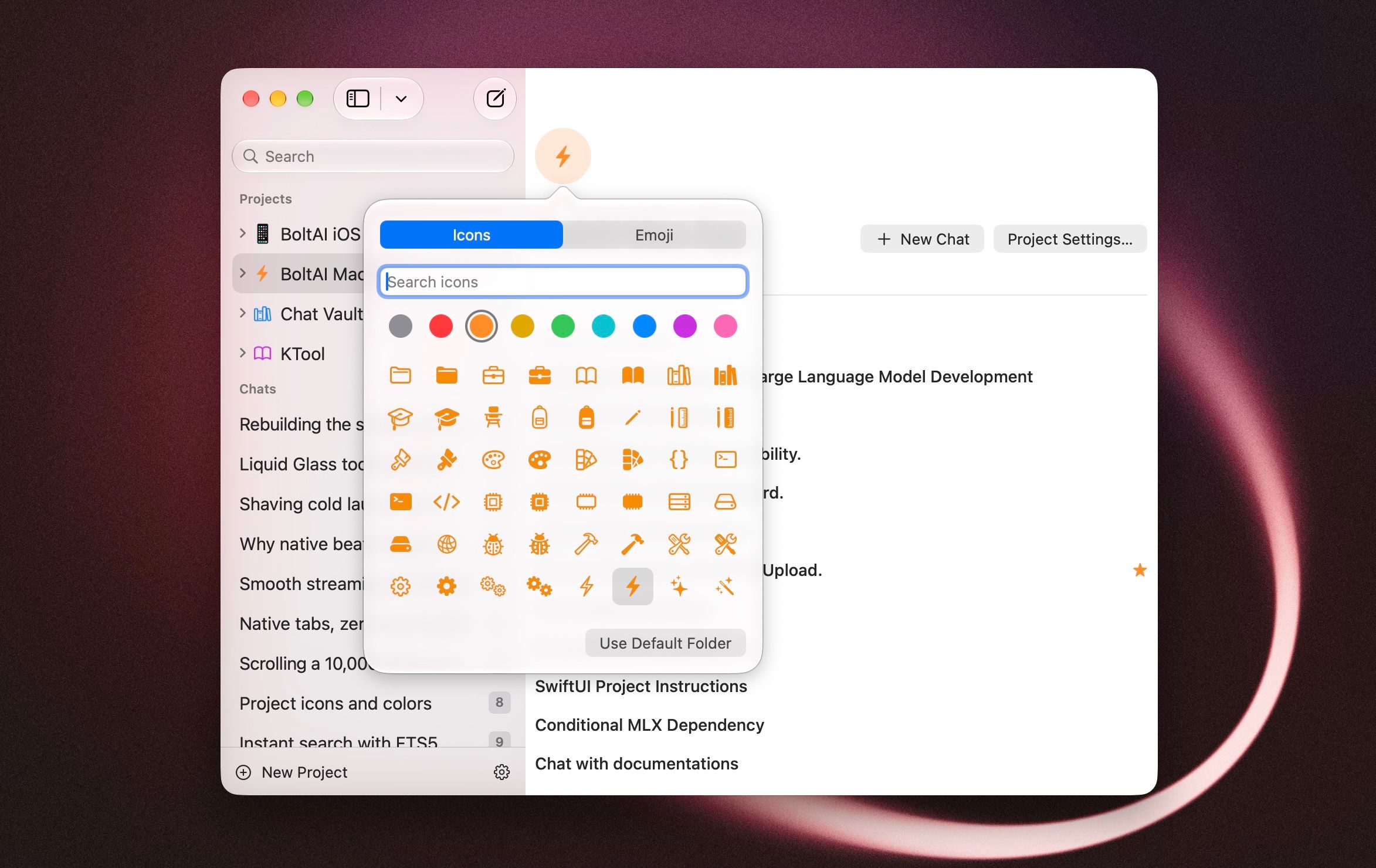
- Custom project icons: give a project an emoji or one of over a thousand symbols, in one of nine colors. Choose it in Project Settings > General, from the project page, or when you create a project. The icon shows in the sidebar and the project header. [ref]
- Max reasoning is now available on custom and OpenAI-compatible providers. BoltAI tells you once that your provider may not support it.
Improved
- BoltAI shows its main window sooner at launch.
- Long model names no longer overflow the model button in the composer. It shows the short name; hover to see the full one.
- In a new chat, Tools now follow the agent you pick, and clearing the agent puts your default tools back.
Fixed
- Fixed several problems when picking an agent: the agent could fall back to Default Agent until picked a second time, be dropped from a new tab on the first message, or switch on tools it does not have.
- Fixed a new chat tab that could not be closed, with the message "This tab is still working or has an unsaved response".
- Fixed a project's prompt mode sometimes not syncing to your other devices.
- Fixed importing a BoltAI backup dropping a project's default agent, prompt mode and loop settings.