Bug with imported (from BoltAI v1.3.x) chats, when continuing chat
After successfully importing chats from my older version of BoltAI, when I select an imported chat to continue it and send the prompt (in this case, to Claude Sonnet 4.5), I see the following error message:
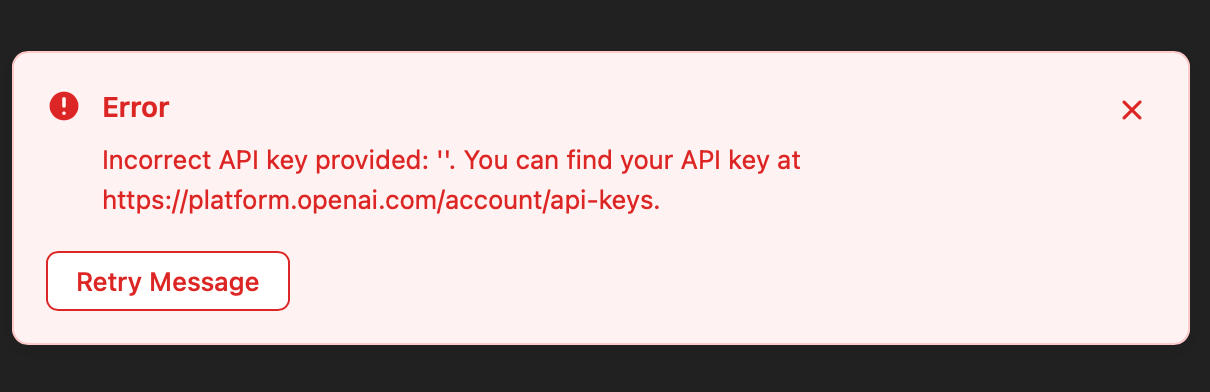
…which doesn’t make sense, as it’s not an OpenAI chat.
But putting that aside, should resuming imported/old chats work generally in BoltAI v2?
BTW, No issues starting new chats in BoltAI v2, so I’m pretty sure the API keys per provider are correct.
Thanks Daniel!
Log in to comment and vote
Comments5
Daniel Nguyen
Feb 7
I’ve fixed this in v2.7.0. Unfortunately it can’t fix already-imported chats.
Daniel Nguyen
Feb 4
Hey Kai. Sorry for the issue. I’ve found the culprit and will release a new version soon. The problem is that when importing data from v1, sometimes it wasn’t able to import the AI provider, or the provider has been deleted (in v1). That causes the mismatch.
A quick workaround is to click the Provider/Model popover and change to something else.
phyto
Feb 2
@Daniel Nguyen BTW, not sure if this bug is related, but it’s also arising when trying to edit a prompt and regenerate a response:
https://feedback.boltai.com/p/app-crashes-when-regenerating-message-with-edit
Daniel Nguyen
Nov 24, 2025
Hey Kai. It’s probably a bug. Can you try changing the provider/model to something else, send a message, and change it back.
The bug is probably during import, I set the wrong provider id (which exists in v1, but not in v2).
I will take a deeper look.
phyto
Nov 25, 2025
@Daniel Nguyen Thanks for the quick response; within that imported chat, I changed the model to an older version of Claude Sonnet 3.7; then without typing anything or clicking regenerate, changed it back to Claude Sonnet 4.5, then clicked regenerate on the new prompt I had written (after the import), and voila, got a good response to my prompt.
Remedy seems to be repeatable: I picked another imported/old chat, and saw that Sonnet 3.7 was the selected model. Typed a new prompt and upon sending it, got the same wrong error message. Changed the model to Sonnet 4.5, clicked Regenerate, and it also worked.
Hopefully that means this bug can be resolved soon!