Collapsible MCP Tool Groups
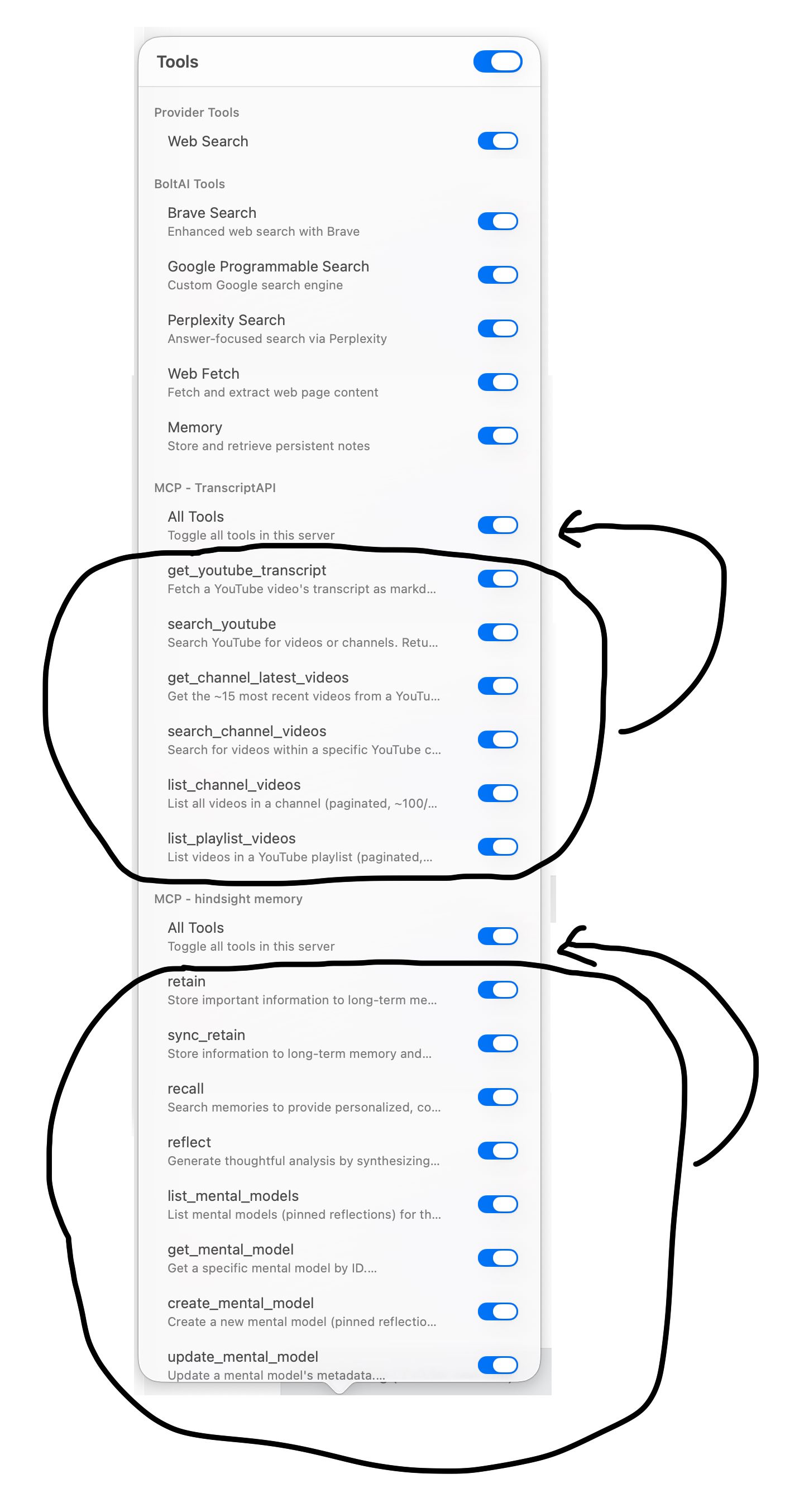
In the Tools panel, each MCP server already has a section header (e.g. MCP - TranscriptAPI, MCP - hindsight memory) with an "All Tools" master toggle. However, the individual tools are always fully expanded, making the list very long when multiple MCPs are connected.
Request: Allow the individual tools within each MCP group to be collapsed/expanded by clicking the section header (and remembered). When collapsed, only the header and the "All Tools" toggle would be visible. This way users can quickly manage a specific MCP's tools without scrolling through all the others.
This would significantly improve usability for users with multiple MCP servers configured.
Log in to comment and vote
Comments3
May 7
PinnedFixed this in v2.12.1
Daniel Nguyen
May 5
Yeah this is my next priority. I was thinking to not showing individual tools here, and only the servers. What do you think?
I feel like there are too many tools and this narrowed popover is the wrong UI to manage it.
David
May 5
I think that makes sense… im now thinking if i ever needed specific child tools from MCP server on chat by chat basis and never did… so if you move the selection of child tools to settings that would work for majority of people i guess…