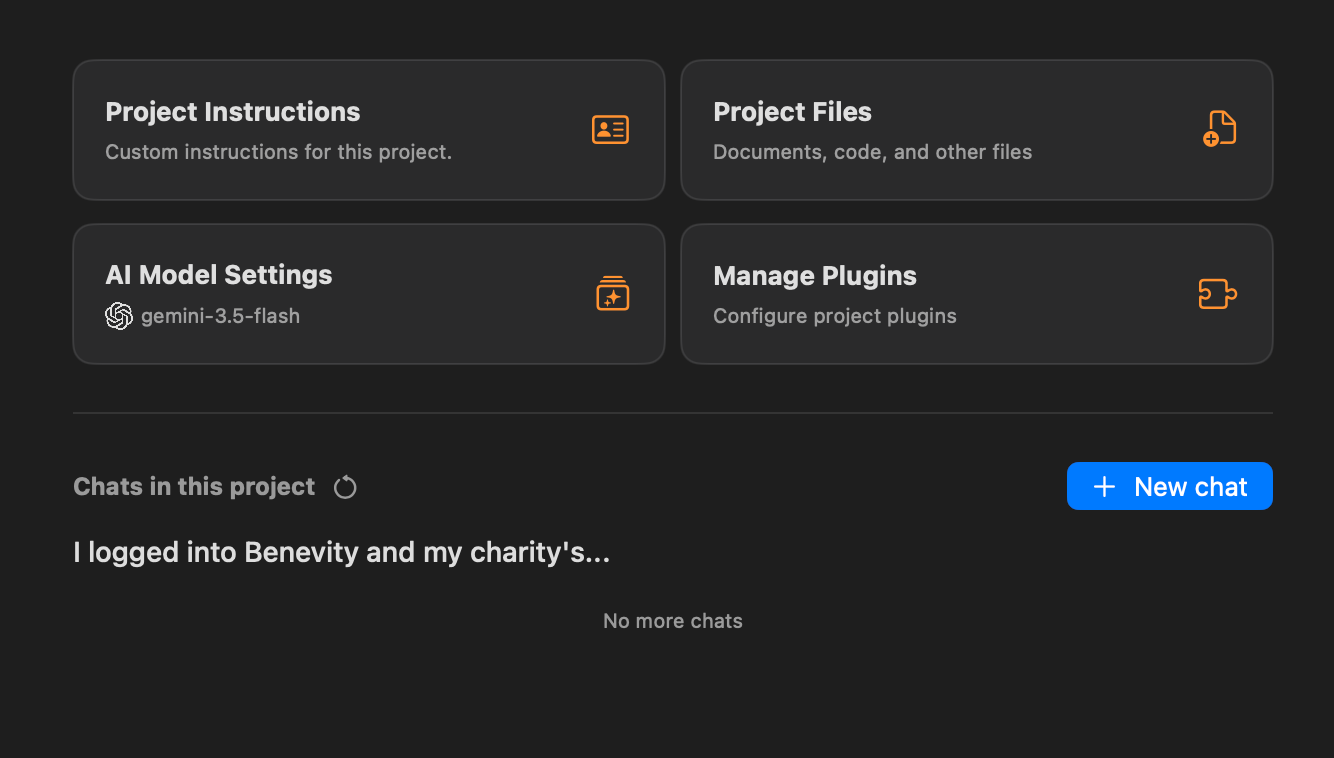
Can't change default service/model at folder level
It indicates that it changed, but when I close the lightbox, it’s still the old model. When I open the lightbox again, it shows the new model, but when I close it again, it’s still the old model. When I start a new chat, it’s also still the old model.
Log in to comment and vote
Comments6
Jul 29
PinnedI’ve fixed this in v2.14.1. Can you confirm?
matti
Jul 29
Much better … my sanity is restored. Thanks for the quick fix.
philraymond
Aug 10
Yes, but it would also be good to be able to remove the model at the folder level. What I eventually realized is that, typically, you want the general default model to be used rather than having to set it at the folder level, which means that now, I want to be able to remove it at the folder level so I don’t have to keep updating it rthere.
Daniel Nguyen
Aug 12
Can you create a feature request for that. Easier to keep track in a separate post. Thanks
matti
Jul 25
Came here to log the same bug and found this post. It’s a really annoying glitch and confused the hell out of me for a while.
Daniel Nguyen
Jul 26
Sorry. I’m working on the fix right now.