I think the root cause was the conflict with the mobile app (catalyst) as I was using the same keychain entry. It should be fixed in the latest versions.
donza
•
Oct 24, 2025
Yes, I was able to get this working with later versions of the app. Sorry for delay responding to this.
Daniel Nguyen changed status to In Progress
Team•
Oct 9, 2025
Pinned
I’m adding more logging now. I’m not sure what cause the issue yet. Did you set custom passphrase? Does it randomly happen or always happens for certain service providers?
donza
•
Oct 10, 2025
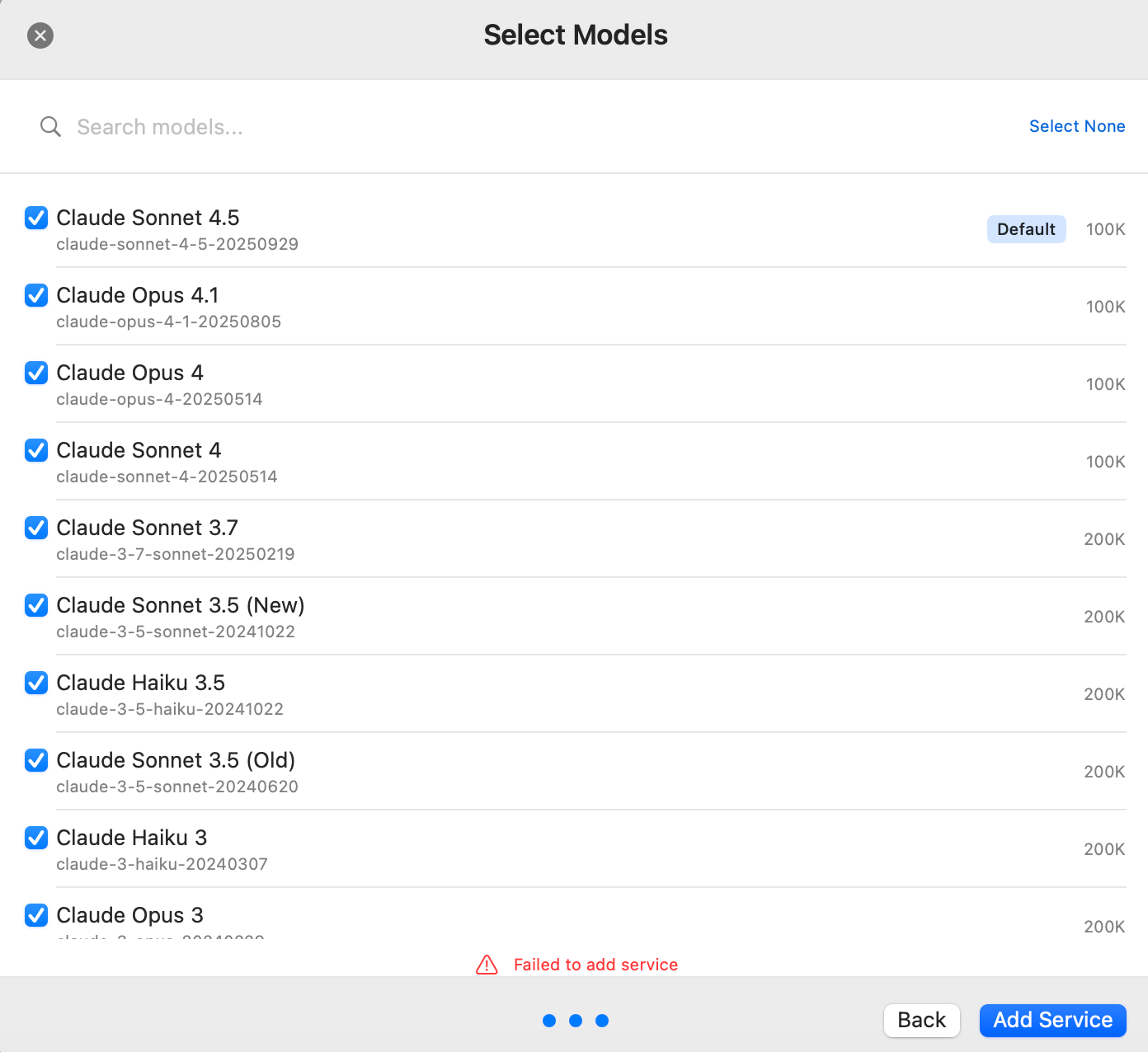
Yes, I believe I have passphrase setup from previous testflight build of Bolt AI. So far error happens with any provider. With the latest version error is bit different:
Add service failed — Domain: CryptoKit.CryptoKitError — Code: 1 — The operation couldn’t be completed. (CryptoKit.CryptoKitError error 1.)
Daniel Nguyen
Team•
Oct 12, 2025
Right. Can you try remove the passphrase, then add it again. I think there was some issue with encryption when using an old encryption key. I’ll investigate
donza
•
Oct 15, 2025
Ok, I removed the passphrase and now I can add API keys. But now I can’t add new passphrase:
Daniel Nguyen
Team•
Oct 15, 2025
I think there was an issue with permission to access the keychain. There was a bug in v2.0.7 that I accidentally turned off app sandbox. I turned it back on in v2.0.8 but it might still have issues.
One way to reset this is to open Keychain Access and manually delete the entry there. And then start the app again.
Here are the key in Keychain to look for boltai_device_key_v1
Sorry for the issue. Happy to jump to a call to help. Join our discord server at https://boltai.com/discord
Log in to comment and vote
Comments7
Oct 24, 2025
PinnedI think the root cause was the conflict with the mobile app (catalyst) as I was using the same keychain entry. It should be fixed in the latest versions.
donza
Oct 24, 2025
Yes, I was able to get this working with later versions of the app. Sorry for delay responding to this.
Oct 9, 2025
PinnedI’m adding more logging now. I’m not sure what cause the issue yet. Did you set custom passphrase? Does it randomly happen or always happens for certain service providers?
donza
Oct 10, 2025
Yes, I believe I have passphrase setup from previous testflight build of Bolt AI. So far error happens with any provider. With the latest version error is bit different:
Add service failed — Domain: CryptoKit.CryptoKitError — Code: 1 — The operation couldn’t be completed. (CryptoKit.CryptoKitError error 1.)
Daniel Nguyen
Oct 12, 2025
Right. Can you try remove the passphrase, then add it again. I think there was some issue with encryption when using an old encryption key. I’ll investigate
donza
Oct 15, 2025
Ok, I removed the passphrase and now I can add API keys. But now I can’t add new passphrase:
Daniel Nguyen
Oct 15, 2025
I think there was an issue with permission to access the keychain. There was a bug in v2.0.7 that I accidentally turned off app sandbox. I turned it back on in v2.0.8 but it might still have issues.
One way to reset this is to open Keychain Access and manually delete the entry there. And then start the app again.
Here are the key in Keychain to look for
boltai_device_key_v1Sorry for the issue. Happy to jump to a call to help. Join our discord server at https://boltai.com/discord